

Why Your Joint Pain Isn’t Just "Aging"
Every morning, you sit down at your desk. You check emails, type reports, maybe take a quick video call. By mid-afternoon, your neck aches. Your wrists feel stiff. Your lower back tightens up like a coiled spring. You chalk it up to getting older. But it’s not aging-it’s your workstation.
More than 60% of office workers report chronic pain from sitting wrong for hours. It’s not because you’re lazy. It’s because most desks and chairs were designed for convenience, not your body. The good news? You don’t need a fancy office or a big budget to fix this. Small, smart changes can cut joint pain by nearly 40% in just a few weeks.
Your Chair Isn’t Just a Seat-It’s Your Foundation
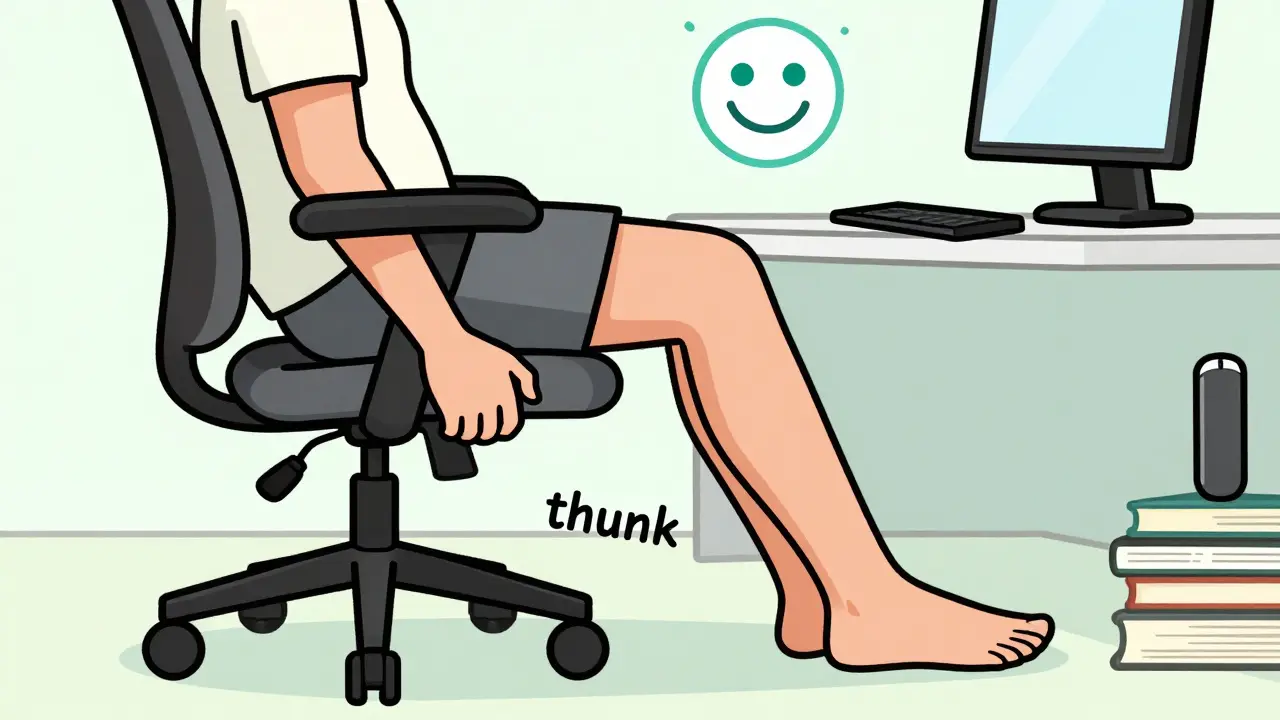
Your chair is the base of everything. If it’s wrong, everything else falls apart. Start with the height. Sit down and check: can your feet rest flat on the floor? Are your thighs parallel to the ground? If your knees are higher than your hips, you’re putting pressure on your lower back and hips. Most chairs have a lever under the seat. Adjust it until your feet are flat and your knees are at a 90- to 110-degree angle.
Now check the lumbar support. Your lower spine has a natural curve. A good chair should fill that curve-not push your back forward or let it slump. If your chair’s lumbar pad doesn’t move up and down, it’s not working. You need at least 2 inches of vertical adjustment. Studies show chairs with proper lumbar support reduce lower back pain by 38%. Budget chairs under $200 often skip this. Don’t fall for the marketing. If you can’t adjust it, it won’t help.
Seat depth matters too. There should be 1 to 2 inches between the back of your knees and the edge of the seat. Too deep? You’re sliding forward. Too shallow? You’re sitting on your tailbone. Slide the seat forward or back until you get it right.
Screen Height: The Silent Neck Killer
You’ve probably heard "put your monitor at eye level." But that’s not quite right. If you’re staring straight ahead, your neck is already tilted up. That’s bad. Your eyes should look slightly down-at a 15- to 20-degree angle. That’s the natural resting position of your head when you’re relaxed.
How do you measure that? Try the fist test. Sit in your chair. Make a fist and place it on the desk. The top of your monitor should be about one fist’s height above the desk. If you’re using a laptop, you’re doing it wrong. Laptops force you to look down. Get a stand and an external keyboard and mouse. Even a stack of books works. Raise the screen until the top is at eye level, then lower it just enough so you’re looking slightly down.
Distance matters too. Your screen should be 20 to 30 inches from your eyes. Too close? Your eyes strain. Too far? You lean in, and your neck follows. If you’re squinting, you’re too far. If you feel like you’re reaching forward, you’re too close.
Keyboard and Mouse: Stop Wrist Strain Before It Starts
Wrist pain isn’t just from typing too much. It’s from how you type. Your wrists should stay flat-not bent up, down, or sideways. A neutral wrist position cuts carpal tunnel risk by 43%. That means your keyboard needs to be at the right height.
Elbows should be at 90 to 110 degrees, relaxed at your sides. If your shoulders are hunched, your desk is too high. If your wrists are bent up, your desk is too low. Most desks are fixed at 29 inches. That’s too high for many people. If you can’t adjust your desk, try a keyboard tray. It should slope slightly away from you (negative tilt) to keep your wrists straight.
And the mouse? Keep it right next to your keyboard-within 1 to 3 inches. Reaching for it twists your shoulder and elbow. A vertical mouse helps. It lets your hand rest in a handshake position, which reduces strain on the tendons in your forearm. People who switch report 72% less wrist pain within weeks. It takes a few days to get used to, but it’s worth it.
Move Like You Mean It
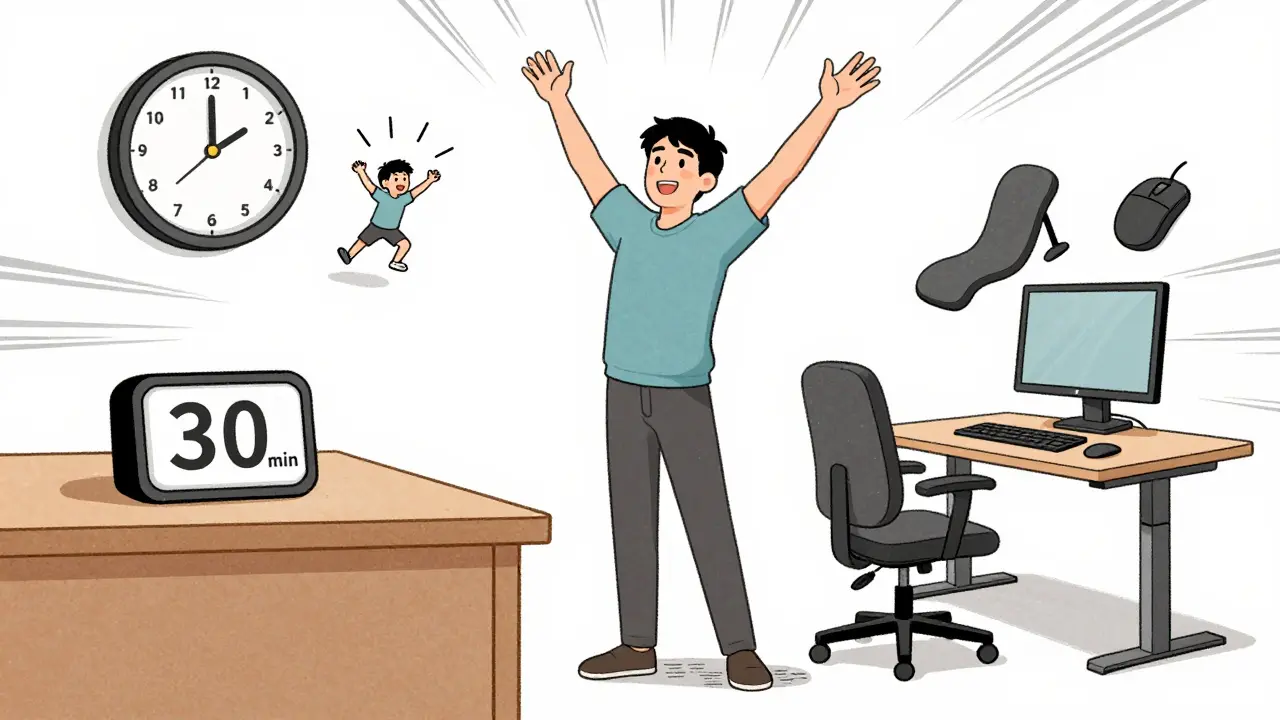
Even the perfect chair won’t save you if you sit still all day. Your joints need movement. Static positions squeeze blood flow out of muscles and cartilage. The American Physical Therapy Association says take a 30- to 60-second break every 30 minutes. That’s not a suggestion-it’s a medical recommendation.
What do you do in those breaks? Stand up. Stretch your arms overhead. Roll your shoulders. Walk to the window. Do a few gentle neck rolls. You don’t need to do yoga. Just break the stillness. One study showed microbreaks reduce joint loading by 28%. That’s like giving your body a reset button.
If you have a sit-stand desk, use it. Stand for 15 to 20 minutes every hour. Don’t just stand there-shift your weight. Rock side to side. Walk in place. The key is change. Your body isn’t meant to stay in one position for hours.
What Not to Do (And What Actually Works)
People spend hundreds on ergonomic gear and still feel pain. Why? Because they focus on gear, not setup. A $500 chair won’t help if your monitor is too high. A fancy keyboard won’t fix your posture if you’re slouching.
Here’s what actually works, based on real user results:
- Monitor too high? You’ll get neck pain. Lower it until you’re looking slightly down.
- Keyboard too high? Your shoulders hunch. Lower the desk or use a tray.
- Mouse too far? Your arm strains. Bring it closer.
- Feet dangling? Your lower back tightens. Use a footrest.
- Only one chair? You’re stuck. Get a lumbar cushion if you can’t adjust the chair.
One Reddit user, after 8 years of lower back pain, swapped his old chair for a properly adjusted ergonomic one. Pain dropped from 7/10 to 2/10. He didn’t buy a new desk. He didn’t buy a standing mat. He just fixed the chair height and lumbar support.
Real People, Real Results
A 2022 survey of over 3,400 people with arthritis found that 83% saw less joint pain within 6 to 8 weeks of fixing their workstation. Not because they took medicine. Not because they went to physical therapy. Because they adjusted their chair, monitor, and keyboard.
Remote workers are the most at risk. A 2023 Gartner survey found 68% of people working from home use kitchen tables, couches, or beds as desks. That’s not a workspace-it’s a pain factory. Neck and shoulder pain is 22% higher in home offices than in proper workspaces.
But change is possible. FlexiSpot surveyed 5,217 remote workers who switched to vertical mice. Three out of four saw wrist pain drop. One in three needed 2 to 3 weeks to adjust. That’s normal. Your body learns new habits slowly. Stick with it.
Where to Start Today
You don’t need a full overhaul. Pick one thing. Do it today.
- Check your chair height. Feet flat? Thighs parallel?
- Adjust your monitor. Top at eye level? One fist’s height above desk?
- Move your mouse. Is it right next to your keyboard?
- Set a timer. Every 30 minutes, stand up and stretch for 60 seconds.
Do those four things. In a week, you’ll notice something. Your neck won’t feel so tight. Your wrists won’t ache after typing. Your lower back won’t lock up after lunch.
This isn’t about buying the most expensive gear. It’s about aligning your body with your workspace. Your joints aren’t broken. They’re just tired. Give them the right setup, and they’ll thank you.
What’s Next?
If you’ve made these changes and still feel pain, it’s time to look deeper. Are you sleeping with your neck twisted? Are you carrying a heavy bag on one shoulder? Are you stressed? Pain doesn’t always come from your desk. But your desk makes it worse.
Keep tracking. Note when pain flares up. Is it after long video calls? After typing for hours? That tells you what to fix next. You don’t need a specialist to start. You just need to pay attention.
And if you’re in a company that doesn’t offer ergonomic support? Advocate for it. The return on investment is $4.10 saved for every $1 spent on ergonomic upgrades. That’s not just about comfort-it’s about keeping people working, healthy, and productive.
Your body doesn’t ask for much. Just a little space, a little support, and a little movement. Give it that, and it will carry you for years to come.



Shelby Price
I tried the fist test for monitor height and holy crap it changed everything. My neck hasn't felt this good in years. I used to think I was just "getting old," but nah - it was my setup. Now I just stare at my screen like a chill lizard. 😌
Jesse Naidoo
This is all just corporate propaganda to sell you $800 chairs. The real issue? Your boss makes you sit there for 12 hours straight. No amount of lumbar support fixes being treated like a meat puppet.
Sherman Lee
They don't want you to know this... but ergonomic chairs are a scam. The government and Big Ergo are pushing this so you don't notice the 5G chips in your keyboard that track your posture. I cut my cable, started using a yoga ball, and now I feel... suspiciously calm. 🤔
Lorena Druetta
I am writing this with the utmost sincerity and professional regard. The insights presented herein are not merely helpful-they are profoundly transformative. Your body is a temple, and your workstation must reflect that sacred truth. I commend you for seeking alignment with your physical self. May your spine remain straight and your shoulders forever relaxed.
Zachary French
I was in SO MUCH PAIN before I switched to a vertical mouse. Like, I cried. I screamed. I threw my old mouse out the window. Now? I feel like a ninja. A keyboard ninja. And yes, I know it’s called a "tendon glide" thing. I read it on a forum. I’m basically a doctor now. 🤓
Coy Huffman
I’ve been doing the 30-min microbreak thing for a month now. Honestly? I didn’t believe it at first. But after two weeks, I caught myself standing up without thinking. My body just... knew. It’s weird. Like my joints started having a conversation with me. And they said, "Thanks, bro."
Caleb Sutton
They’re lying. The 40% pain reduction? Fake. It’s all part of the pharmaceutical industry’s plan to make you buy more chairs instead of pills. They don’t want you healthy. They want you comfortable... and dependent.
Jamillah Rodriguez
I did all this and still got pain. So yeah. I’m just gonna keep using my couch. At least I’m comfy. 😴
Katherine Urbahn
I must insist: the notion that "a stack of books works" is dangerously irresponsible. Books are not engineered for biomechanical support. They may shift, collapse, or-God forbid-be misaligned by a fraction of a centimeter. This is not a suggestion; it is a liability.
Joy Johnston
I’m a nurse and I’ve seen so many people with wrist pain from bad setups. The vertical mouse? Game changer. I got one for my dad-he’s 72 and now he can text his grandkids without wincing. It’s not magic. It’s just science that actually works.
Amit Jain
In India, most people work on laptops on tables or beds. I told my cousin to use a pillow under the laptop and a separate keyboard. He laughed. Now he says his shoulder doesn’t hurt anymore. Simple stuff. No need for fancy gear.
Kunal Kaushik
I started using a footrest made from an old shoebox. Yeah, I know. But it fixed my lower back. I also put my monitor on a stack of cookbooks. I’m not proud. But my neck is happy. 🙌
Mandy Vodak-Marotta
Okay, so I read this whole thing and then I went and did all four things. First, I adjusted my chair. Then I raised my monitor with my cat’s cardboard box tower (she’s still mad). Then I moved my mouse. Then I set a timer. And guess what? I didn’t even notice I was doing it. I just stood up at 10:30 a.m. and stretched like a zombie who just remembered it was Monday. Then I did it again at 11:05. And 11:35. And now I’m at 11:50 and I’m still standing. I think my body is trying to tell me something. Like, maybe I’m not a rock? Maybe I’m supposed to move? Maybe I’m not a statue? I don’t know. But I feel weirdly good. Like, not in a "I did yoga" way. More like... I finally listened to my spine. And it said, "Thank you, you idiot. It’s about time."
Alec Stewart Stewart
I’m 62 and I’ve been sitting wrong since 1998. This post? It’s the first time I’ve ever felt like someone actually gets it. I didn’t spend a dime. Just moved my chair, raised my screen with a cereal box, and started walking to the water cooler every half hour. My hands don’t tingle anymore. I’m not cured. But I’m not in hell either. Thanks.
Samuel Bradway
I just moved my mouse closer. That’s it. No new chair. No stand. Just... closer. And now my shoulder doesn’t scream every time I click. I’m not even mad anymore. Just... relieved.